
|
|
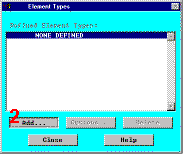
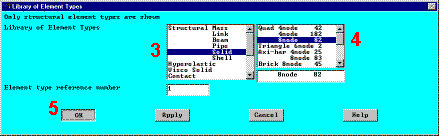
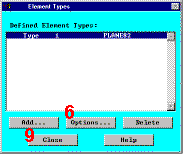
15. Define element types and options.In any analysis, you need to select from a library of element types and define the appropriate ones for your analysis. For this analysis, we’ll use only one element type, PLANE82, which
is a 2-D, quadratic, structural, higher-order element. The choice of a higher-order element here
allows us to have a coarser mesh than with lower-order elements while still maintaining
solution accuracy. Also, some triangle shaped elements will be generated in the mesh that
would otherwise be inaccurate if lower-order elements (PLANE42) were used. We’ll need
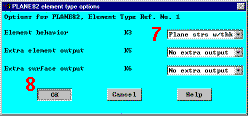
to specify plane stress with thickness as an option for PLANE82. (The thickness will be
defined as a real constant in the next step.) |
|
|
    |

