- Main Menu: Preprocessor
-Modeling-Create
-Lines-Lines
Straight Line
- Pick keypoints 1, 2, 5, 1 in this order (keypoint 1 is at the origin)
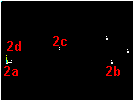
- OK (in picking menu)
Use keypoints 2 through 5 to draw a spline defining the curved part of the wing.
ANSYS provides an option to define the orientation of an outward vector tangent at the
first and last points on the spline. Use this option to define the spline so that it
has a slope of zero at the bottom of the wing and a slope of 0.25 at the top, as shown in
the problem sketch.
- Main Menu: Preprocessor
-Modeling-Create
-Lines-Splines
With
Options
Spline thru KPs
- Pick keypoints 2, 3, 4, 5 in this order
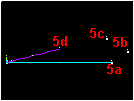
- OK (in picking menu)
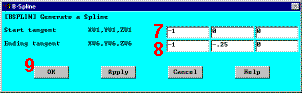
- Enter -1,0,0 for XV1, YV1, ZV1 -»
- Enter -1,-.25,0 for XV6, YV6, ZV6 -»
- OK -»


|
|
