14.  Animate the five mode shapes.

Set the results for the first mode to be animated.

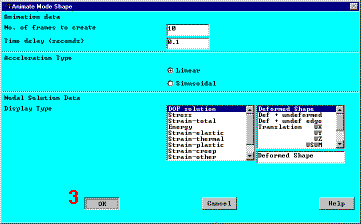
  1. Main Menu:  General Postproc
         -Read Results-First Set
  2. Utility Menu:  PlotCtrls
         Animate
              Mode Shape
  3. OK 

For Windows NT systems only:  the Media Player appears.  Make sure the Auto Repeat option is selected before viewing the animation.

For UNIX systems only:  make choices in the ANSYS Animation Controller before viewing the animation.

Observe the first mode shape:

Results so far

Animate the next mode shape.

  1. Main Menu:  General Postproc
         -Read Results-Next Set
  2. Utility Menu:  PlotCtrls
         Animate
              Mode Shape
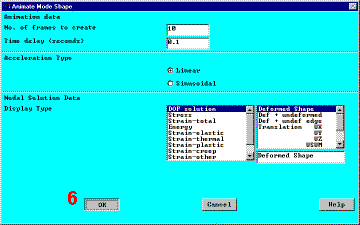
  3. OK 

Observe the second mode shape:

Results so far

Repeat red steps 4, 5, and 6 above to view the remaining three modes.

Observe the third mode shape:

Results so far

Observe the fourth mode shape:

Results so far

Observe the fifth mode shape:

Results so far

Previous   Next 

Animate Mode Shape


Animate Mode Shape